Mesh it like you meshed the last one.
- 01Build an example archive
- 02Mesh new, comparable parts in seconds
- 03Review & refine
Point Meshforge at new CAD and it returns mesh closest to previously-meshed examples from your own project archive.
- Built for FEA analyst teams, junior and senior
- Reads the CAD and mesh files your projects already produce
- Library bootstraps from harvested project archives - no manual curation
- Runs entirely on local hardware; no CAD or mesh data leaves the machine
- Analyst confirms every inferred part type and every retrieved precedent
The precedent exists. It just isn't findable.
Every part an analyst meshes has probably been meshed before, by someone on the team, on a job that is now a folder on a share. Without a queryable library of that work, each new part starts from scratch.
Costs
- Meshing takes too long
- Mesh quality and approach vary analyst to analyst
- Juniors ramp up slowly on meshing rules
- Senior time is spent answering the same questions
- Past work sits in project archives, unqueryable
Retrieval over your own archive, not a black box.
The library is built by harvesting paired CAD and mesh files your analysts already produced. A new part is featurised the same way and matched against it.
- I
Harvest the archive
Point the tool at a folder of historical project files. Paired CAD and mesh files are imported, featurised and stored locally.
- II
Retrieve precedents
A new CAD part is featurised per region - thickness, bend radius, curvature, face count, element-type and element-size statistics - and matched by cosine similarity against the library.
- III
Confirm and adapt
The analyst confirms or corrects the inferred part type in one click, then copies and adapts the precedent mesh. Corrections are stored as ground truth.
What the tool does today.
Region-level featurisation
Parts are described per region, not just per part: thickness, bend radius, face count, bounding-box ratios, curvature statistics, element-type distribution and element-size statistics.
Precedent retrieval
Cosine similarity over scaled feature vectors returns the N closest previously-meshed parts, with the specific regions that matched.
Part-type inference with confirmation
A rule-based classifier infers part type from element-type distribution and geometry. The analyst confirms or corrects it once, and the correction is stored as ground truth.
Mesh quality verdicts
Meshes are scored on scaled Jacobian, aspect ratio, skew, minimum angle and warpage, each against an explicit threshold, and summarised as a green / amber / red verdict.
Hash-chained audit log
An append-only log records what happened, chained by hash so any edit to earlier entries is detectable on verification.
Model lineage
Every generated mesh records which corpus and which checkpoint produced it, hashed by content, along with the code commit the training ran from.
Ingest, featurise, retrieve.
The same featuriser runs at build time and at query time, so a new part's vector is directly comparable to everything in the library.
Nothing is auto-approved. The tool narrows the search; the analyst decides.
Retrieval, not a model that guesses element sizes.
Meshforge does the thing the data supports: find the closest precedent and let the analyst carry it across.
Small data, not big data
The library is dozens to hundreds of examples, not millions. That rules out a heavyweight training pipeline and argues for nearest-neighbour retrieval over a well-chosen feature vector.
Region-level, not part-level
Matching whole parts is too coarse - the useful precedent is often one region of another part. Feature vectors are computed per region and pooled for the part.
The analyst stays the decision-maker
The tool narrows the search and shows what matched. It does not approve anything - analysts are still expected to consult a senior on size decisions.
Real meshes, rendered from real files.
Both of these come straight out of the repository's own mesh files. Element colour is aspect ratio, measured against the same threshold the tool enforces.
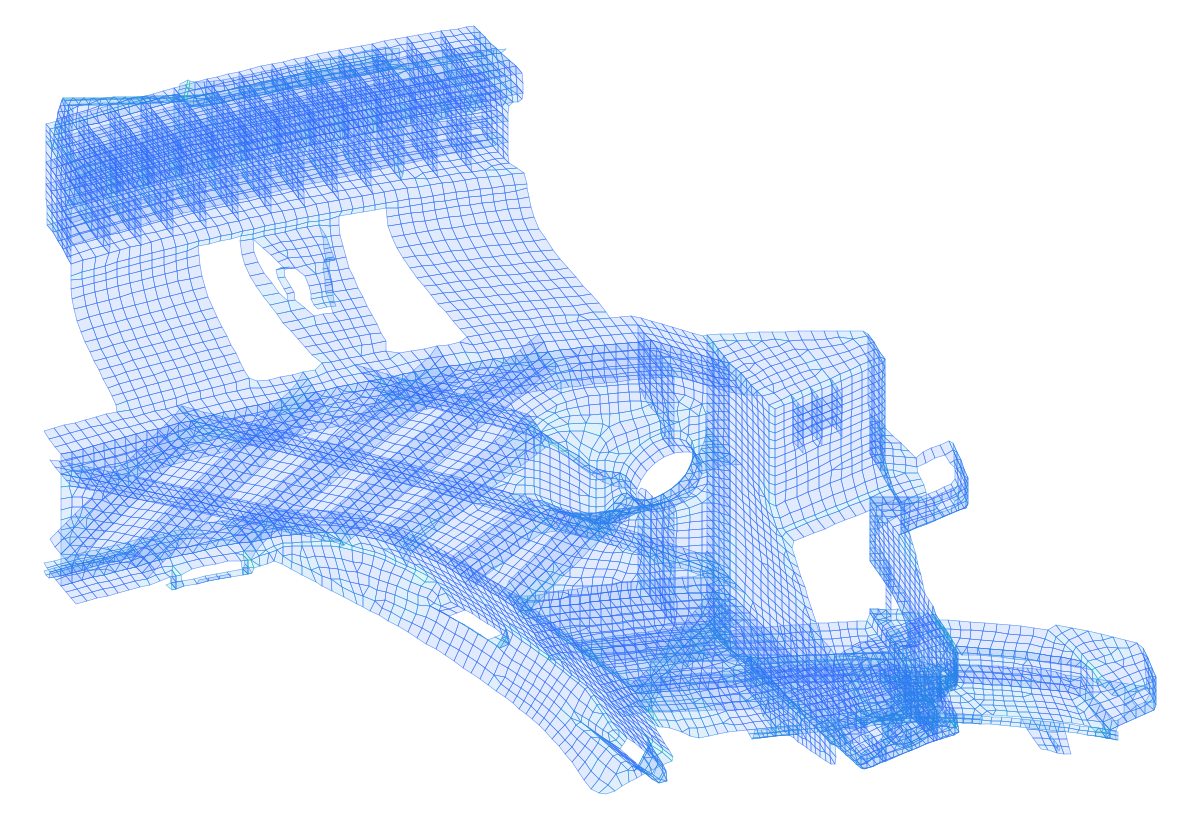
The meshing benchmark component. Every element is drawn; colour runs from an ideal aspect ratio toward the 10.0 limit.
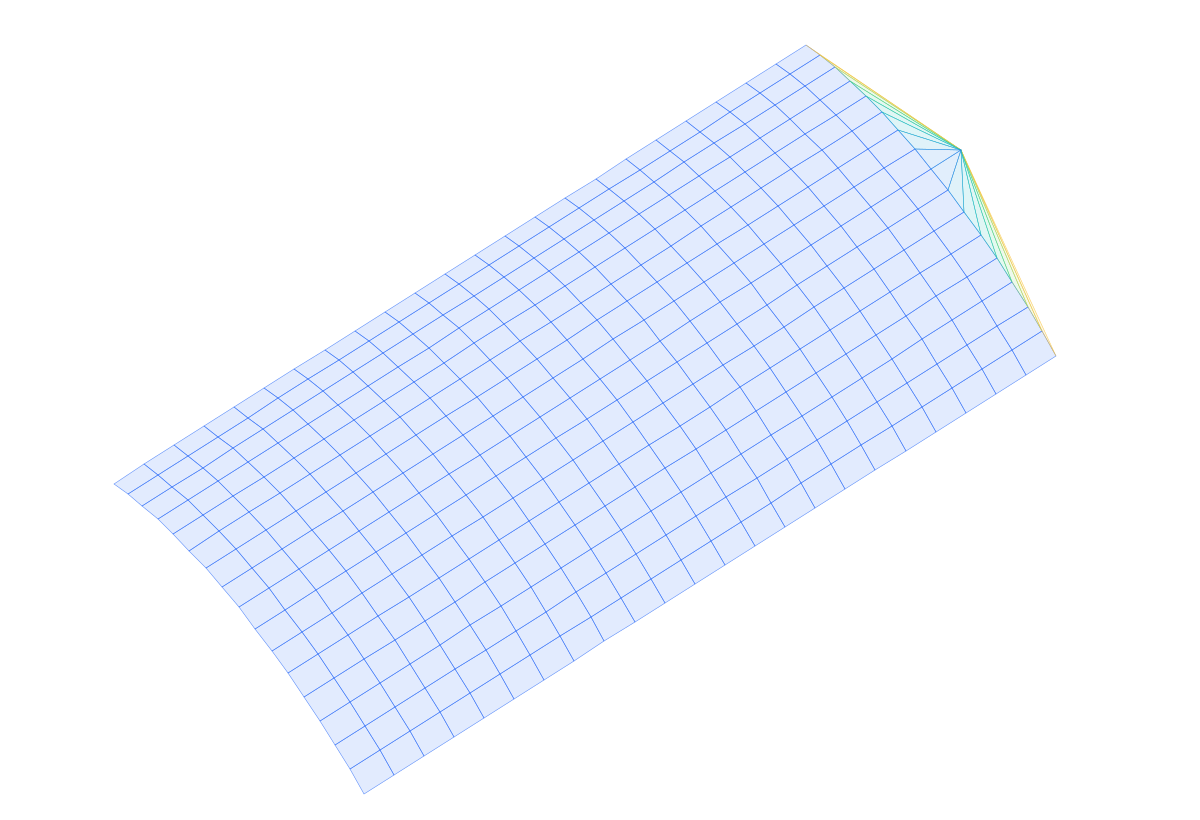
A curved panel with a triangle-fan end cap. The fan is where aspect ratio degrades, and it shows.
Every metric has a threshold.
Mesh quality is not a single opaque score. Measures are evaluated per element against explicit limits.
Measures vs. explicit limits
Scaled Jacobian, aspect ratio, skew, minimum angle, warpage, edge-length ratio.
Verdicts, not vibes
Per-element results roll up to a green, amber or red verdict with the worst-percentile figure attached, so a marginal mesh is easily visualized.
Measured, not asserted
A benchmark harness meshes and solves a fixed part set end to end and records the numbers, so a regression in quality or runtime shows up as a changed report rather than a surprise.
Confidence tiers
| Tier | Training examples | Behavior |
|---|---|---|
| Insufficient | < 10 | Generation inadequate |
| Low | 10–49 | Generation allowed; all meshes go to review |
| Moderate | 50–99 | Low-risk auto-approved if quality passes |
| High | 100+ | Auto-approval for most meshes |
What it does not do
- It does not generate auto-approve worthy mesh if confidence level is insufficient.
- The mesh-generation handles parametric primitives only. It does not handle arbitrary geometry.
- The analyst remains responsible for the final mesh and for validating it against project requirements.
Reads and writes the decks your solvers already use.
Mesh and FEA deck.
Mesh and FEA deck.
Supports reading and writing .STEP(.stp) CAD files.
Abaqus and LS-DYNA are trademarks of their respective owners. Meshforge is not affiliated with or endorsed by them.
Faster to a first acceptable mesh, without a senior in the loop.
- Faster time to first acceptable mesh
- Consistency of approach between analysts
- Juniors reaching an acceptable mesh without support
- Historical project work becoming queryable rather than archived
- Senior time freed from repeated meshing questions
- A kill criterion defined in advance, not rationalised after
Bring a paired CAD and mesh archive. We will show you what it retrieves.
Licensing is scoped to the deployment and the team it serves rather than sold at a flat rate, so the conversation starts with your requirements, not a price list.